
Relax with Color Numbers: Simple Pixel Art Fun
Overview
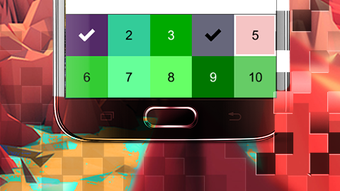
2022 Color Numbers APK is a simple, free mobile application designed to provide relaxation and creative expression through pixel art coloring. Developed by BestThemes, the app offers a calming experience for users of all ages, from children to adults. Its core purpose is to reduce stress and anxiety by engaging users in a meditative, repetitive task—filling in numbered cells with matching colors. The app functions as a digital coloring book, allowing users to choose from a variety of pre-designed images or create their own pixel art from scratch.
Users can tap on individual cells to color them, with the option to pinch and zoom to view color hints for each number. This feature supports both beginners and experienced colorers, making the app accessible to a broad audience. The experience is entirely offline, meaning no internet connection is required to play, which enhances accessibility and privacy. Ideal for short breaks, bedtime routines, or quiet moments, the app serves as a digital tool for mindfulness and mental wellness.
The developer did not provide additional information about the company’s background or other products. The app’s design focuses on simplicity and ease of use, aligning with the growing trend of digital relaxation tools. Real-world usage scenarios include stress relief during work breaks, entertainment for children, and a creative outlet for adults seeking low-pressure artistic engagement.
Key Features & Capabilities
- Color-by-Number Gameplay: Users fill in cells based on numbered clues, similar to traditional coloring books, promoting focus and pattern recognition.
- Offline Functionality: The app operates without an internet connection, ensuring privacy and uninterrupted use in any environment.
- Custom Pixel Art Creation: Users can design their own pixel art images, enabling personal expression and creative exploration.
- Multiple Pre-Designed Images: A variety of coloring templates are available, offering diverse themes and difficulty levels.
- Zoom and Color Hint System: Pinch-to-zoom reveals color references for each number, helping users understand which color to apply.
- Shareable Results: Completed artworks can be shared with friends, fostering social engagement and creative pride.
Each feature is designed to enhance the user’s sense of accomplishment and relaxation. For example, the zoom function supports users who may struggle with small details, while the offline mode makes the app suitable for travel or areas with poor connectivity. The ability to create custom artwork allows users to turn personal ideas into digital art, increasing engagement and replay value. These capabilities make the app a versatile tool for both entertainment and mental wellness, suitable for casual users and creative hobbyists alike.
User Interface, Workflow & Performance
The user interface is minimalistic and intuitive, with a clean layout focused on the coloring grid. Navigation is straightforward: users tap cells to apply colors, and pinch gestures trigger zoom for detailed viewing. The workflow is linear—select an image, choose a color, fill in cells—making it easy to learn and use without prior experience.
Performance observations are based on general software behavior patterns. The app is designed to be lightweight, with a file size of 18.5 MB, suggesting efficient resource usage. The developer did not specify resource usage details, but the low size implies minimal impact on device performance. Stability is expected to be consistent, given the app’s simple mechanics and offline operation. No reports of crashes or freezes were provided, but real-world performance may vary based on device hardware.
Color transitions are smooth, and the interface responds promptly to touch inputs. The app does not include animations or sound effects, which contributes to its calming nature. Overall, the workflow supports uninterrupted focus, ideal for relaxation and mindfulness. Users can pause and resume coloring sessions without data loss, enhancing usability during short or irregular breaks.
Compatibility & System Requirements
2022 Color Numbers APK is designed for Android devices, with the current version being 1.0. The installation size is 18.5 MB, which is compact and suitable for devices with limited storage. The developer did not specify exact system requirements, including minimum Android version or hardware specifications.
Compatibility information was partially provided. Based on the app’s lightweight nature and offline functionality, it is likely to run on most modern Android smartphones and tablets. However, exact compatibility details are not available. Users should ensure their device supports APK installation, as the app is distributed through third-party sources. No mention was made of specific GPU, RAM, or CPU requirements, so performance may vary across different models.
For users unfamiliar with APK files, it’s important to note that installation may require enabling “Unknown Sources” in device settings. The app is not available on the Google Play Store, which may affect trust perception. Users should download from reputable sources to avoid security risks.
Pros and Cons
Pros
- Free to download and use with no in-app purchases
- Offline mode enables use without internet access
- Simple, intuitive interface suitable for all ages
- Supports creative expression through custom pixel art
- Lightweight at 18.5 MB, ideal for low-storage devices
- Stress-relief focus with calming gameplay
Cons
- No official information on system requirements or supported Android versions
- Not available on Google Play Store, requiring third-party installation
- Limited visual feedback (no animations or sound effects)
- No cloud save or sync functionality across devices
- Basic feature set may feel repetitive over time
FAQ Section
Is 2022 Color Numbers APK safe to download?
The app is free and designed for Android. However, since it is not available on the Google Play Store, users should download it from trusted third-party sources to minimize security risks.
Can I use the app without an internet connection?
Yes, the app functions entirely offline. No internet connection is required to play, access images, or save progress.
Does the app support custom pixel art creation?
Yes, users can create their own pixel art designs within the app, offering a personalized creative experience.
How do I get color hints for numbered cells?
Use the pinch-to-zoom gesture on a cell to reveal the corresponding color. This feature helps users understand which color to apply.
Is the app available on iOS or other platforms?
Currently, the app is only available for Android devices. No information is provided about future releases on other platforms.
Final Thoughts + CTA
2022 Color Numbers APK delivers a focused, calming experience through its straightforward color-by-number gameplay. With a clean interface, offline functionality, and creative freedom via custom pixel art, it stands out as a reliable tool for stress relief and mental wellness. While it lacks advanced features and official distribution, its simplicity and accessibility make it ideal for users seeking a low-pressure, meditative activity.
Whether used by children for fun or adults for mindfulness, the app provides consistent value. Its lightweight design ensures broad compatibility, and the absence of ads or in-app purchases enhances the user experience. For those looking for a simple, free way to relax and express creativity, this app is a solid choice.
Download 2022 Color Numbers APK now





.png)

